Home / How it works
A memory and control layer between your code and your AI agents
AI Council analyzes your repository and tickets, stores team decisions and rules tied to the code, and gives the agent what it needs for the current task. The knowledge base grows as your team works and keeps track of its own freshness.
How it works in under 13 minutes
A walkthrough on the open-source Keycloak project: from a question about a real ticket to a branch review and an answer for an analyst.
- 0:00A real Keycloak ticket
- 1:00Knowledge base: tickets, notes, diagrams
- 2:00Project settings and sources
- 2:19Architecture chat
- 3:10What the agent got before the edit
- 3:48Knowledge review: the Outdated mark
- 4:30Team rules and how they come from tickets
- 6:42Connecting the agent hooks
- 7:00Deferred knowledge delivery
- 8:02The KB gate before an edit
- 8:33A task in the workspace
- 9:00The same work on DeepSeek
- 10:05Branch review
- 10:35Knowledge on branches
- 10:40Answers for QA and analysts
- 11:28How the agent runs the project
- 12:03Project overview
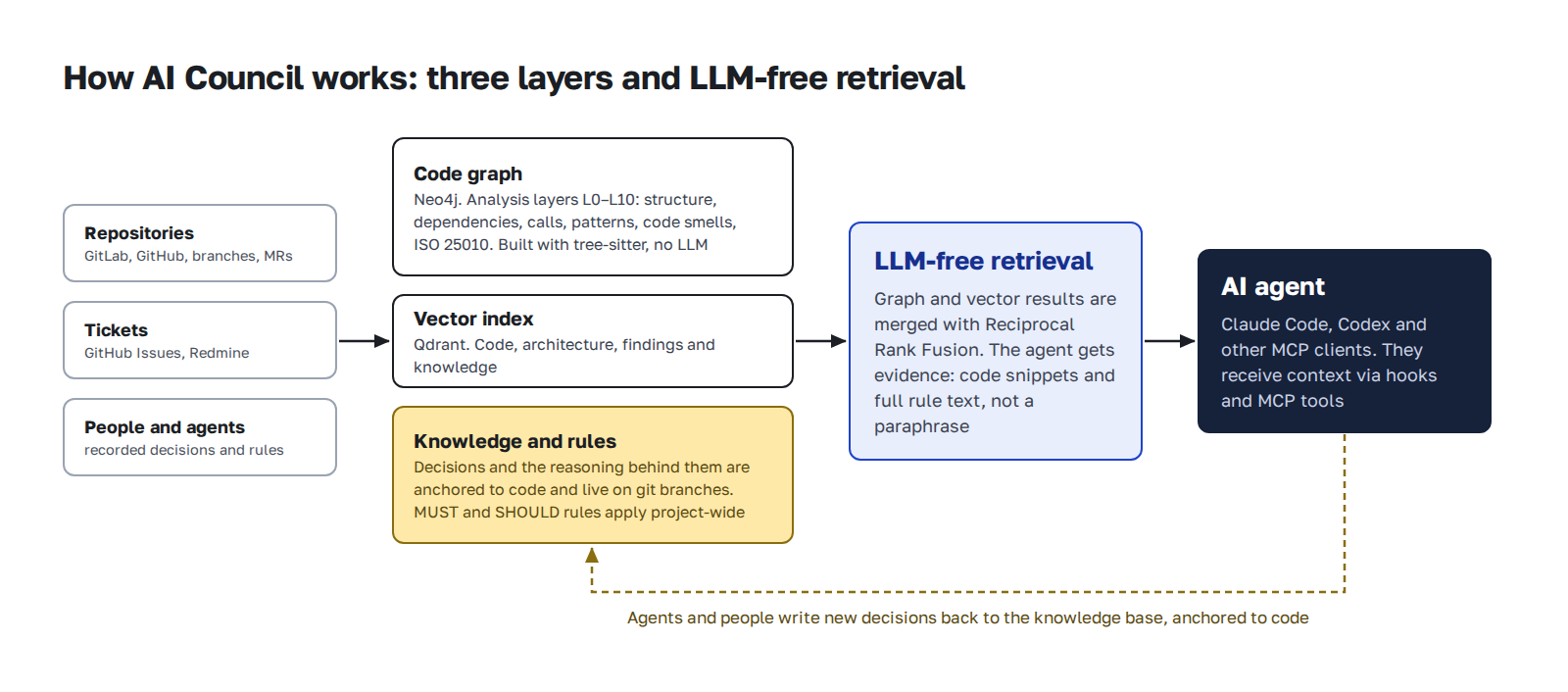
Three layers and retrieval without an LLM
The code graph is built by static analysis, with no model involved. Vector search finds what is close in meaning. A separate layer stores what you can't infer from code: decisions, reasons, rules. The agent gets evidence, meaning code fragments and rules in full, not a summary.
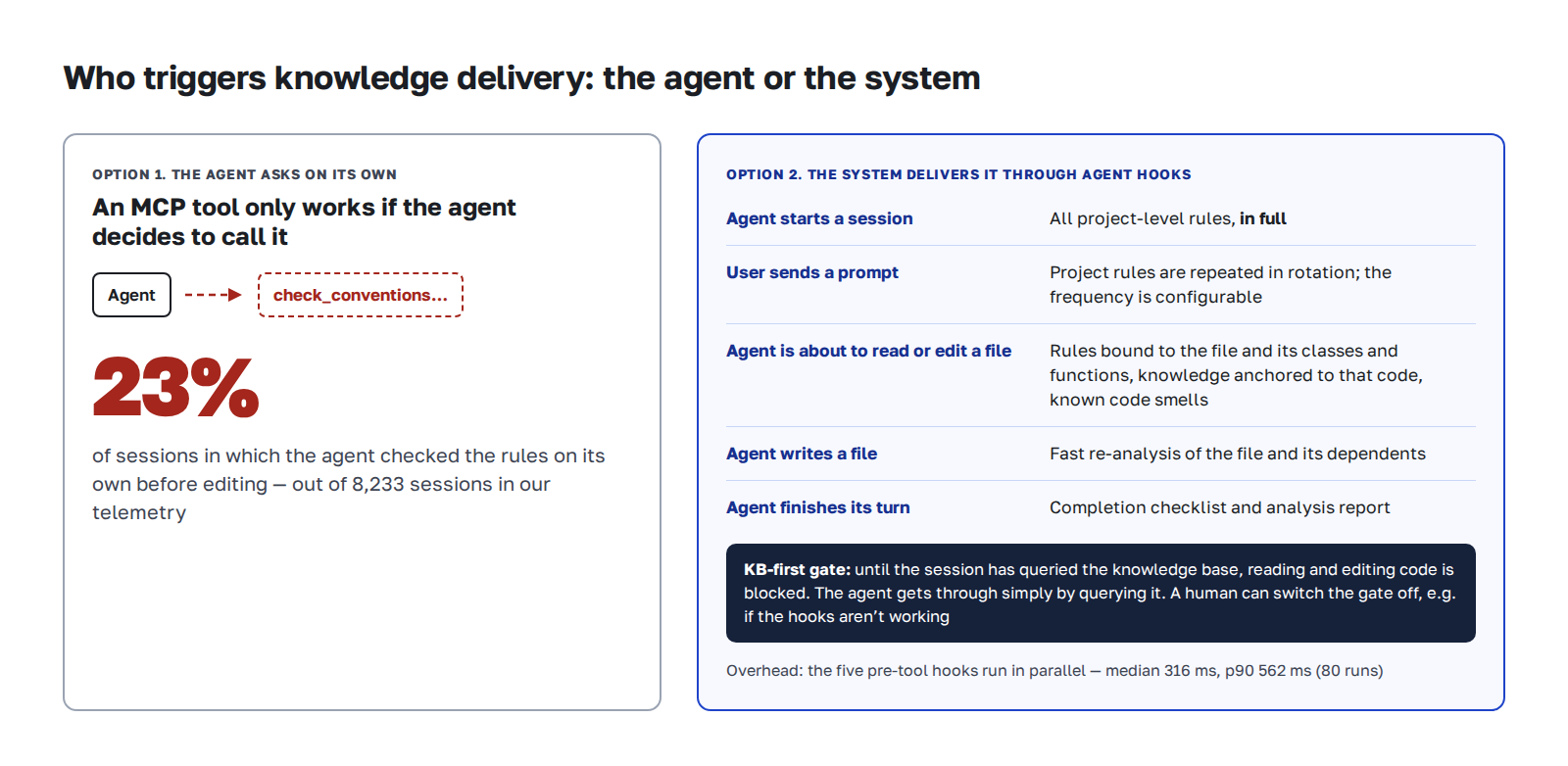
Knowledge is tied to code
A rule in AI Council is a worked case: what happened, how it was noticed, and what to do now. A decision record points to the modules and functions it applies to.
- Decisions, notes, diagramsWhy payments go through a queue, which option was tried and dropped, how a request flows. Diagrams live next to the text.
- Ticket analysisIssues from GitHub Issues and Redmine are imported and analyzed: root cause, affected files, status.
- Documents and related projectsYou can connect documents and neighboring repositories to a project when tasks span several systems.
- Team rulesMUST and SHOULD levels, scoped to the project, a path or an entity. A rule can apply to review only.
The agent gets context on its own
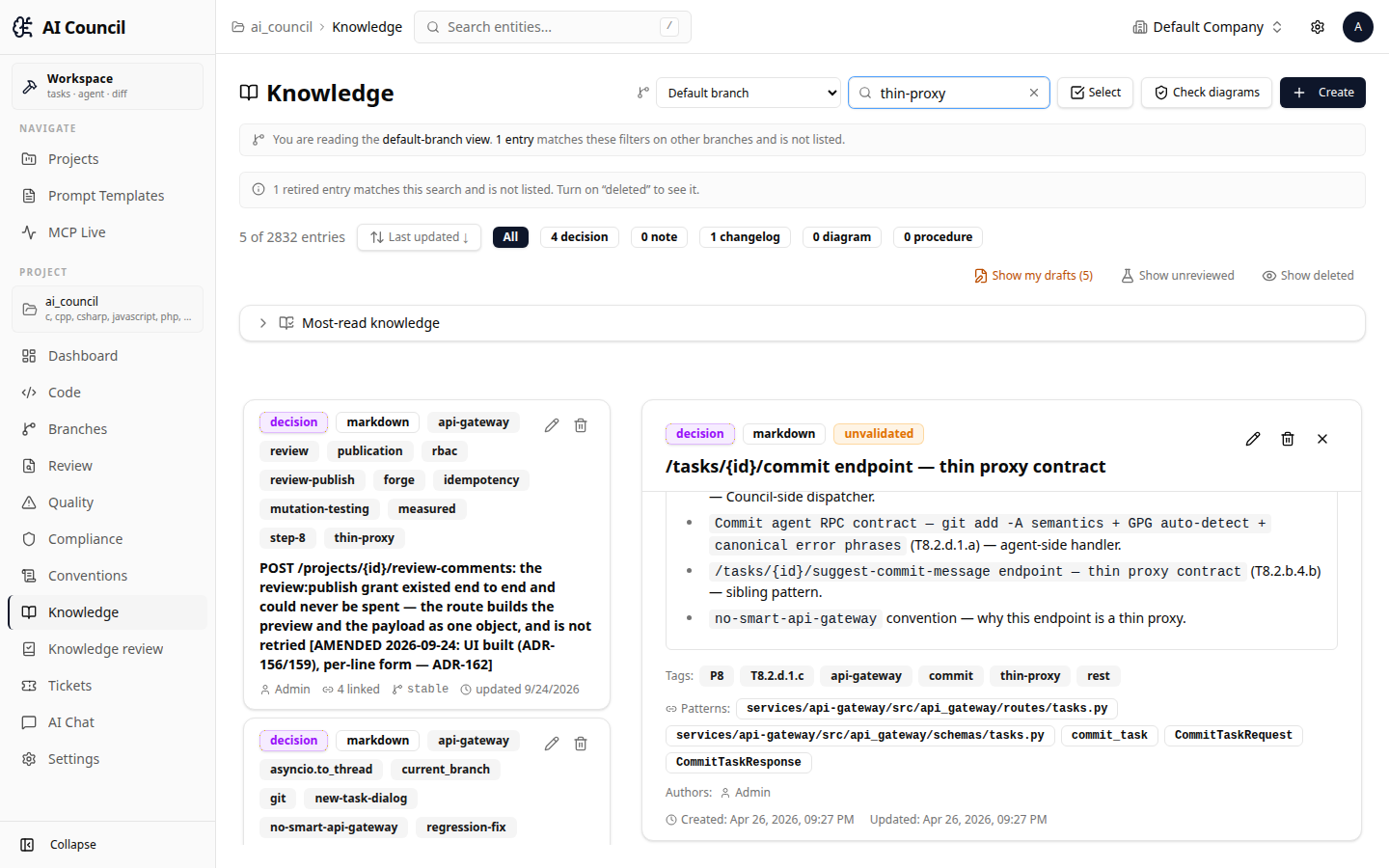
Agents don't always call MCP tools. So the main channel is agent hooks in Claude Code and Codex: knowledge and rules arrive on events, without a request.
- The full rulebook at session startWhen work starts, the agent gets every project-level rule in full. Before each prompt the rules are repeated on a rotation, and you can set how often.
- Rules and knowledge for the fileWhen the agent opens or edits a file, it gets the rules bound to that path and entity, knowledge tied to the code, and known code smells.
- Nothing extraBindings that are too broad are dropped. If there is a lot of knowledge, it is queued and arrives with the next tool call. Content the agent already has is not resent in full.
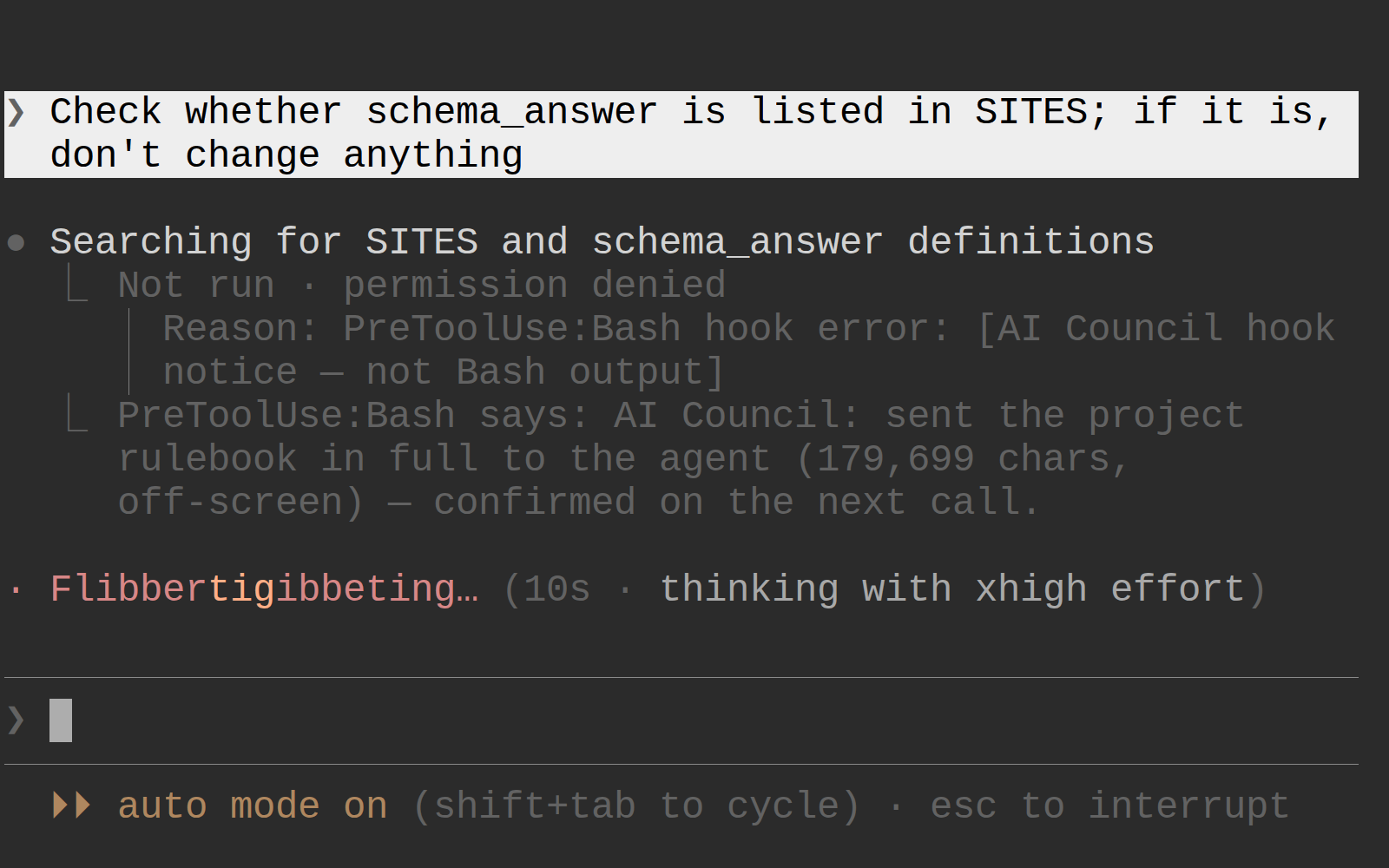
- KB-first gateUntil the session has queried the knowledge base, code reads and edits are rejected. To pass the gate, the agent only needs to request knowledge. A human can turn the gate off.
Knowledge follows your git branches
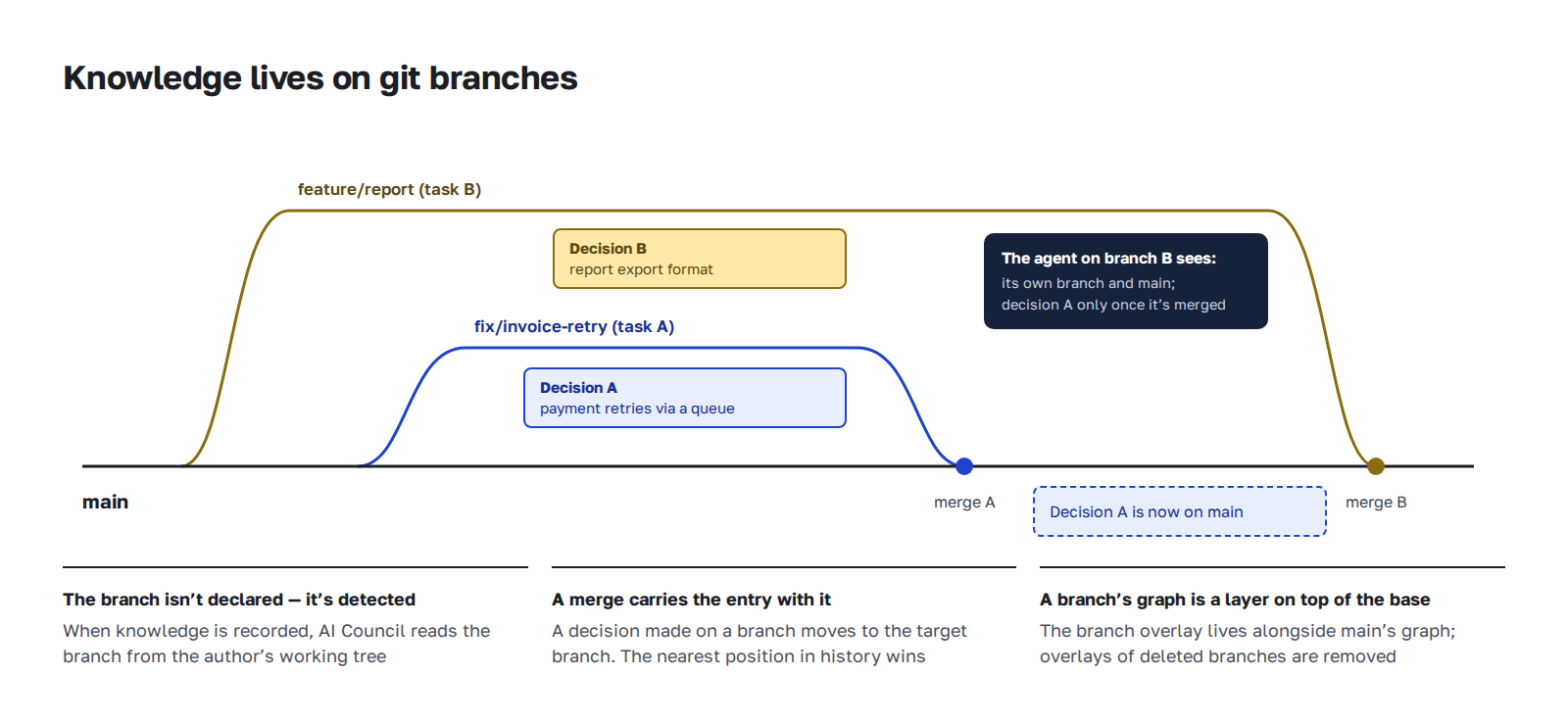
A task is a git branch. Knowledge from one task doesn't reach another until merge. After merge, it moves to the target branch. Rules are shared across the whole project: only knowledge lives on branches.
Knowledge is checked for freshness
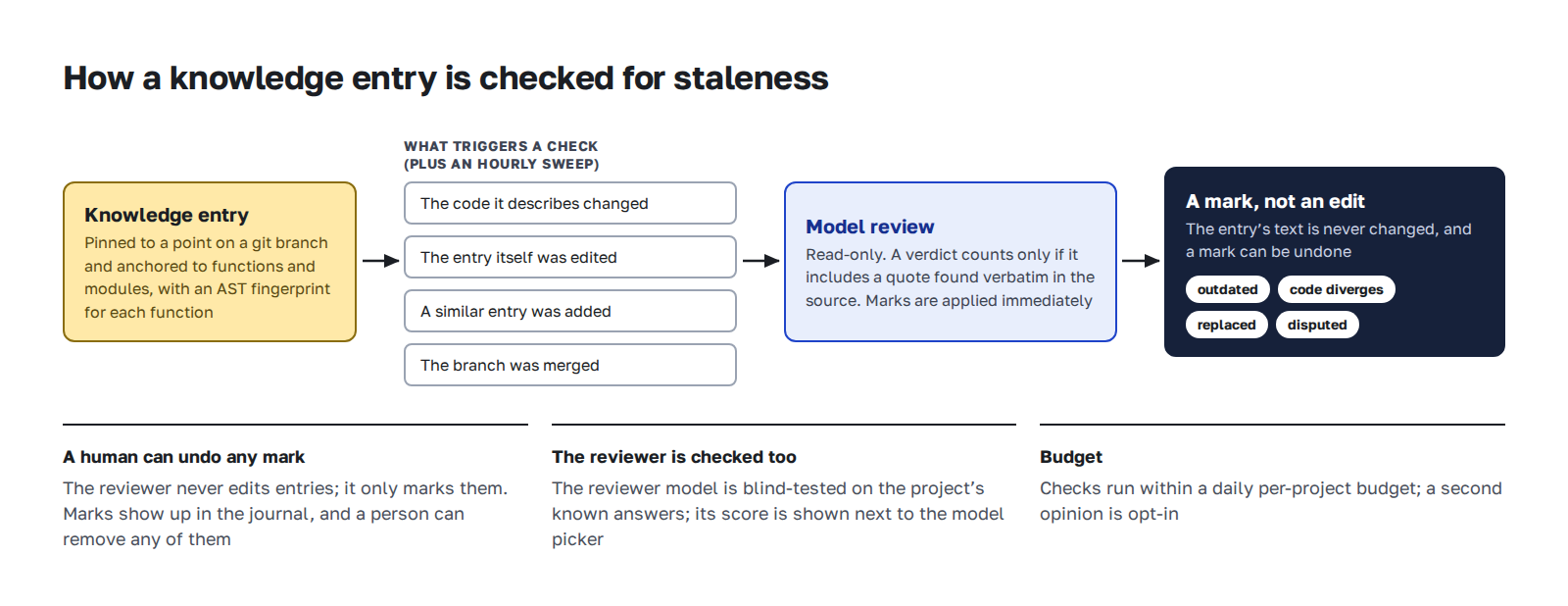
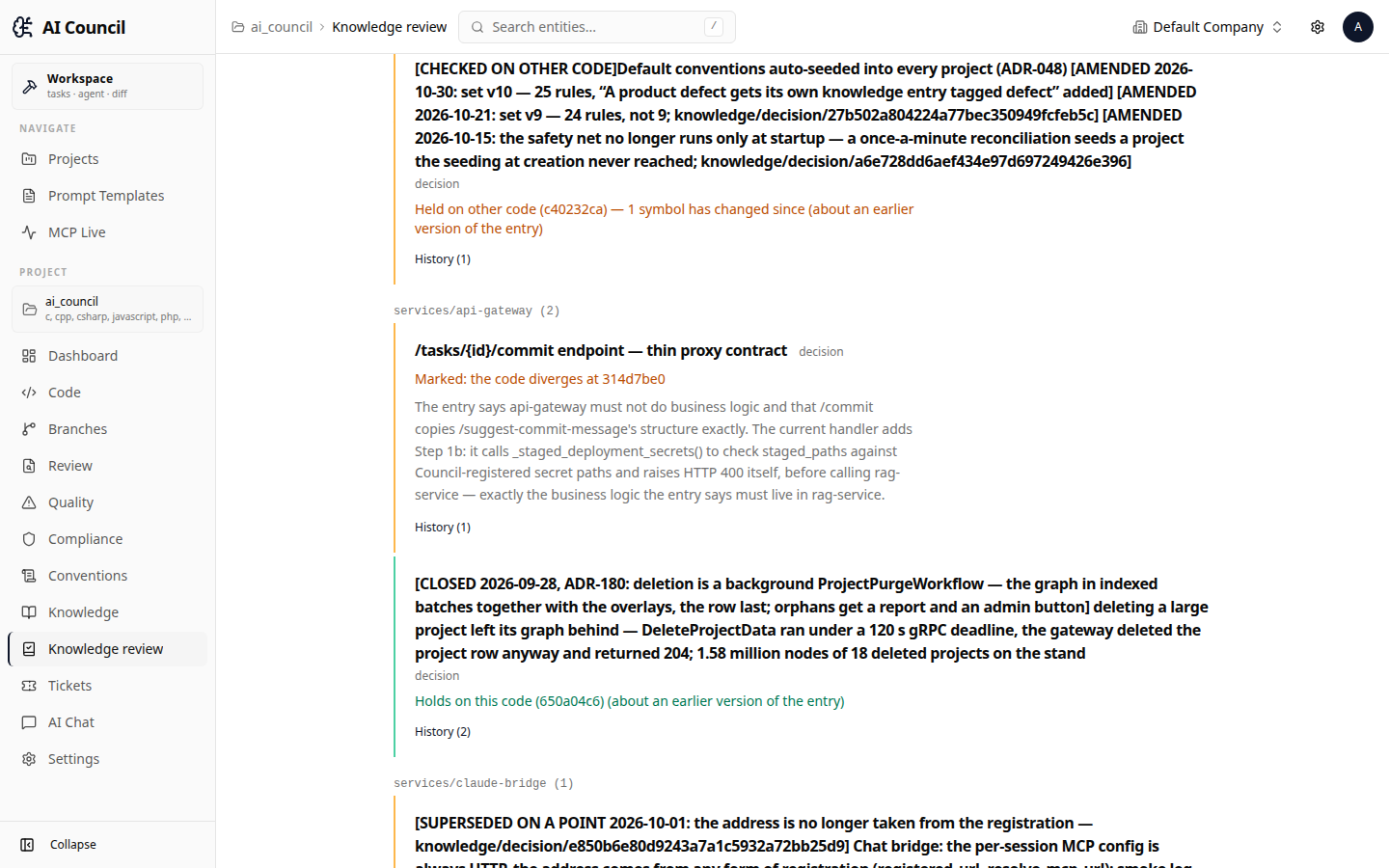
An entry goes to review when the code under it moves, the entry itself changes, a similar entry appears, or a branch is merged. A read-only reviewer model adds a label with a verbatim quote from the source: outdated, diverges from code, superseded, disputed. The entry text stays as it was. A human sees the labels in the log and can undo any of them.
Branch review against project rules
- The same rules the agent hadChanges are checked against the rules the agent received before editing.
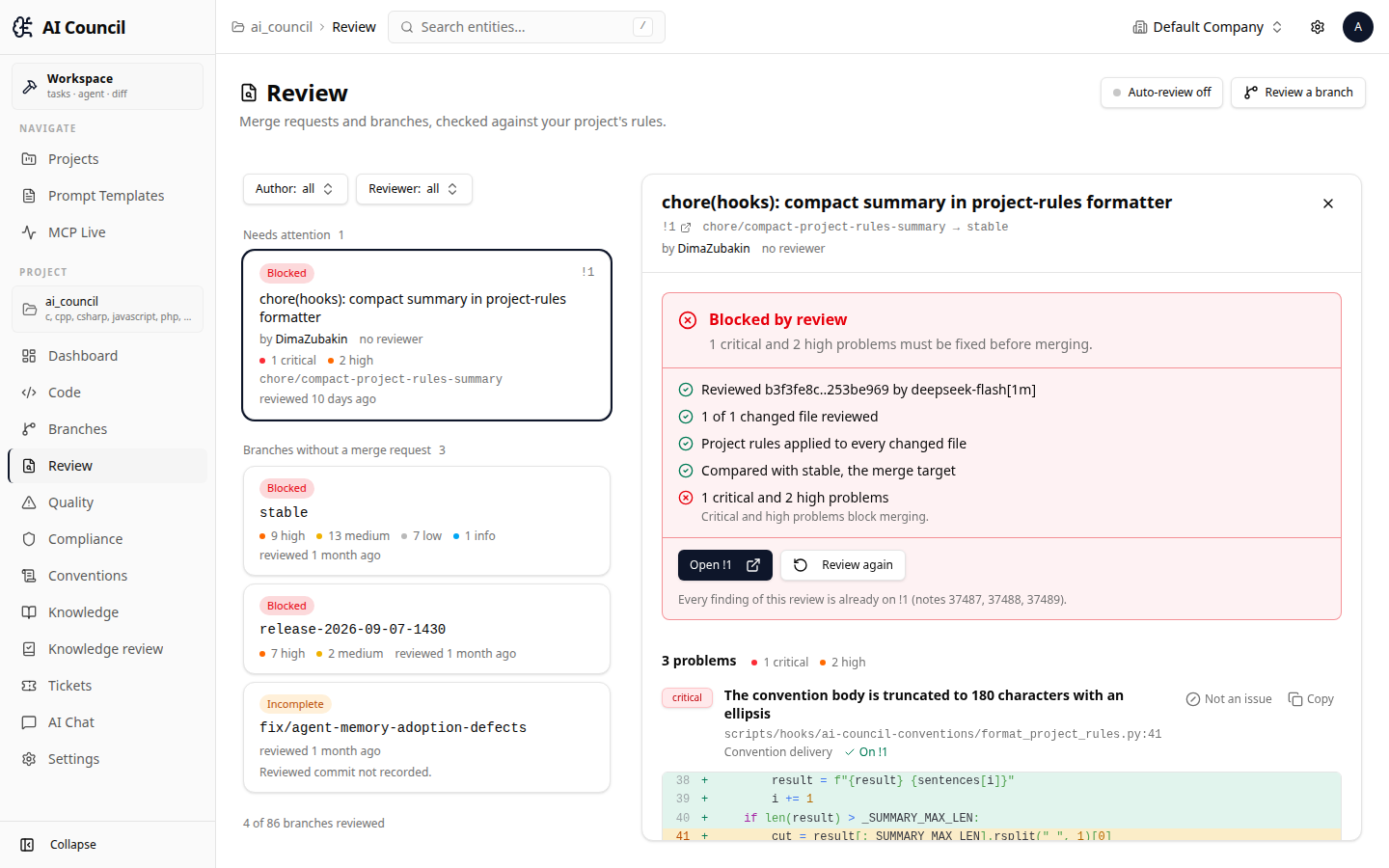
- Three branch statesPassed. Blocked, with a list of problems to fix before merging. Outdated, when unreviewed commits land on the branch. Merging is never physically blocked: a human has the final say.
- A quote instead of a line numberThe model quotes the code, and the line number is computed from the quote. For each file, the reviewer has to say "checked" or "couldn't, because…".
Developers keep their usual setup
AI Council connects to Claude Code, Codex and other MCP-capable agents. You don't need to change your IDE, agent or tracker. The model side runs through Claude Code CLI, so you can plug in another model there, including an open-source one on your own servers.
- Task workspaceThe agent works in a separate environment for the task, and you see its changes in the UI in real time.
- Project run recipeAfter a successful run, the agent writes down how to start the project and how to check it. The next agent picks up the recipe ready to use.
A project chat for the whole team
- For analysts, QA and supportAsk in plain language. The answer is built from the code and tickets, with diagrams and links.
- Answers become knowledgeA new answer is saved and tied to the code, so next time nobody gets pulled away by the same question.
- Role-based accessProjects and companies are kept separate, and each role sees only what it is allowed to.
What it works with
| Area | Supported |
|---|---|
| AI agents | Claude Code, Codex and any MCP-capable agent |
| Models | Through Claude Code CLI, including open-source models on your servers |
| Languages | Python, TypeScript and JavaScript, Java, Kotlin, C#, C, C++, PHP |
| Git | GitLab and GitHub, including merge requests |
| Trackers | GitHub Issues, Redmine |
| Deployment | Cloud or your own server, including air-gapped environments |
Run the full cycle on a task like yours
Connect your repository and see AI Council work on your own code, not on a sample project.
